Skip to content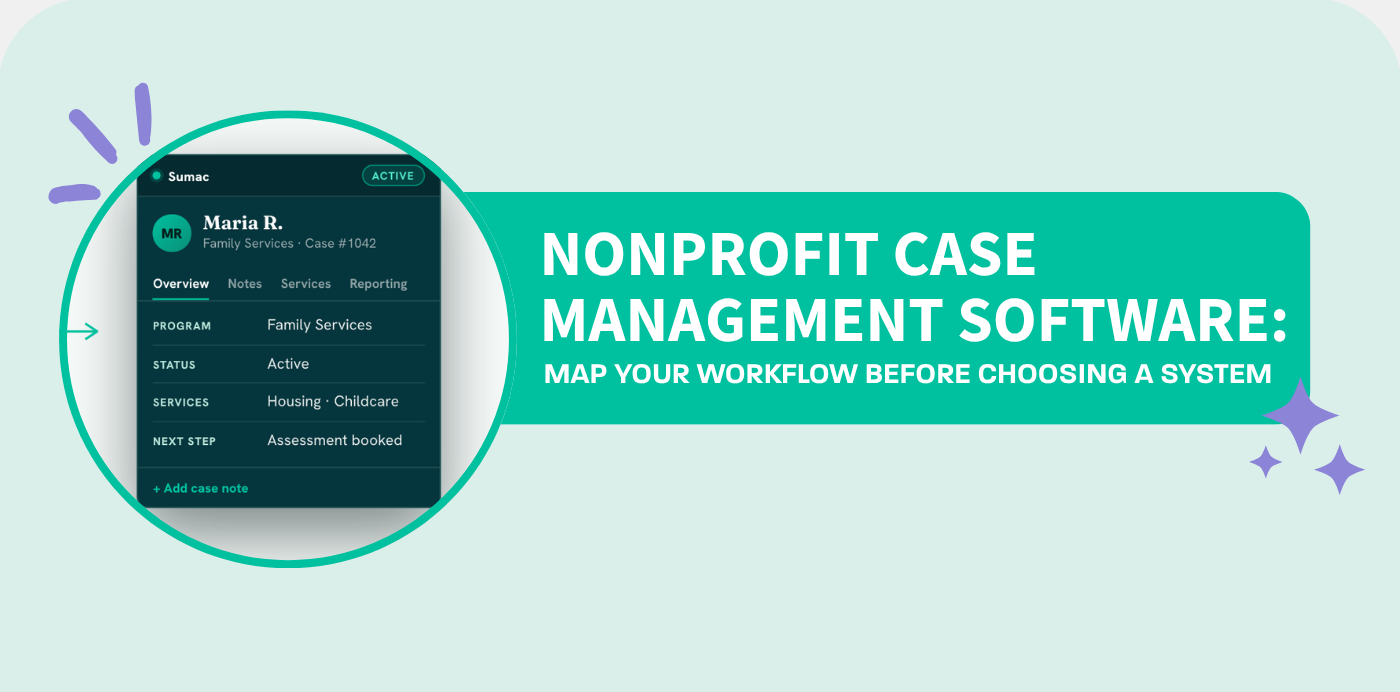
Choosing the right nonprofit case management software is not just a technology decision. It is an operational decision that affects how your team welcomes clients, records needs, manages follow-ups, tracks services, measures outcomes, protects sensitive information, and reports impact to funders and leadership.
For many nonprofits, the problem is not that staff do not know what to do. The work is usually clear in their heads. Intake coordinators know how referrals come in. Caseworkers know what needs to happen after assessment. Program managers know which reports funders expect. Leadership knows the organization needs better visibility.
The real problem is that the process is often scattered.
One part of the workflow lives in a spreadsheet. Another part lives in a binder. Follow-up reminders may sit in someone’s calendar. Client notes may be split across emails, paper forms, and memory. Reporting may require hours of manual cleanup because the data was never captured consistently in the first place.
That is why before a nonprofit chooses case management software, it should first map how client and case work actually happens.
A good system should not force your mission into a rigid template. It should reflect your programs, your intake paths, your staff roles, your reporting needs, and the way your organization already serves people.
That is where a workflow map be
Why Nonprofits Need More Than a Basic Database
A basic database can store names, contact details, and a few notes. But nonprofit case management is more complex than simple recordkeeping.
Human service teams often need to manage:
- Referrals from different sources
- Eligibility checks
- Intake forms
- Consent forms and e-signatures
- Needs assessments
- Case plans
- Service delivery
- Case notes
- Follow-up tasks
- Documents
- Outcomes
- Funder reporting
- Program-specific permissions
- Multi-program client visibility
When all of this is handled manually, teams can still function, but the cost is high. Staff spend too much time searching for information, duplicating entry, chasing updates, and preparing reports from disconnected sources.
A strong nonprofit case management software system helps bring these moving parts into one connected workflow. Instead of treating intake, case notes, service tracking, and reporting as separate jobs, the system connects them around the client journey.
That connection matters because nonprofit work is relational. Every form, note, task, and service record should help the team understand what has happened, what needs to happen next, and what impact the organization is making.
The First Step: Map Your Client and Case Process
Before your team can improve its case management process, it needs to see it clearly.
That is the purpose of the free Sumac process mapping tool. The tool allows nonprofit teams to talk through their workflow by voice. Instead of starting with a blank document or a complicated diagram, you simply describe how your process works.
You can talk through things like:
- How clients first contact your organization
- How referrals are received
- Who reviews eligibility
- What forms are collected
- How clients are assigned to caseworkers
- How service plans are created
- Where follow-ups happen
- How case notes are recorded
- What outcomes are tracked
- How reports are prepared
- Where the process breaks down
As you describe the workflow, the tool helps turn that explanation into a practical process map. This gives your team a clearer view of the stages, decisions, handoffs, and pain points involved in client service delivery.
For example, a nonprofit might map a process that starts with intake or referral, moves into eligibility review, continues into service planning, and then progresses into follow-up and outcome tracking. Another organization might map intake, assessment, case planning, field work, reporting, and multi-program coordination.
The point is not to create a perfect diagram. The point is to make the work visible.
Once the work is visible, your team can begin asking better questions.
Where are we entering the same data twice?
Where are follow-ups being missed?
Where do caseworkers lack access to the information they need?
Where do managers struggle to see program activity?
Where does reporting become a last-minute scramble?
Where do sensitive records need stronger access control?
Where would automation save time?
These questions are much easier to answer when the workflow is mapped.
What a Process Map Reveals About Your Case Management Needs
Many nonprofits begin software research by comparing features. That is understandable. Features matter.
But feature lists can be misleading if your team has not defined the workflow behind them. One organization may need advanced intake forms. Another may need mobile access for field workers. Another may need outcome reporting across several programs. Another may need strict permissions because staff should only see records connected to their program.
A process map helps turn software research from a generic comparison into a practical conversation.
Instead of asking, “Does this software have case notes?” you can ask, “Can this system support how our caseworkers record notes after home visits, phone calls, and monthly check-ins?”
Instead of asking, “Does this software have reports?” you can ask, “Can this system turn our service activity, outcome measures, and program data into reports our funders actually require?”
Instead of asking, “Does this software have forms?” you can ask, “Can we digitize our intake, consent, eligibility, and assessment forms so data flows into the client record without duplicate entry?”
That difference is important.
The best nonprofit case management software is not just the one with the longest feature list. It is the one that can support your real process from first contact to final report.
How Sumac Turns a Workflow Map Into a Working System
Sumac nonprofit case management software is built for nonprofits that need a flexible and connected case management system. After your team maps its workflow, the next step is to see how that process could work inside Sumac.
This is where the process map becomes more than a diagram. It becomes a practical implementation guide.
Your intake stage can become digital forms, referral tracking, eligibility fields, consent records, and client profiles.
Your assessment stage can become structured needs assessments, risk factors, baseline outcomes, and caseworker notes.
Your case planning stage can become goals, tasks, reminders, service tracking, documents, and case history.
Your field work stage can become browser-based access to client records, notes, and forms so staff can update information away from the office.
Your reporting stage can become reusable reports for funders, leadership, program managers, and boards.
Your multi-program stage can become shared client records with role-based permissions and program-specific visibility.
This is the value of starting with the workflow. Instead of trying to force your organization into software, Sumac can be configured around how your organization actually works.
Key Features to Look for in Nonprofit Case Management Software
When evaluating nonprofit case management software, your team should look for features that support the full client journey, not just isolated tasks.
1. Client Intake and Referral Management
Intake is often the first point where data becomes messy. Requests may come through phone calls, walk-ins, partner referrals, emails, website forms, or paper forms.
Good case management software should help your team capture intake information consistently and reduce duplicate entry. Digital intake forms, referral tracking, eligibility checks, and consent forms can make the first stage of service delivery easier to manage.
2. Centralized Client Records
Your team needs one reliable place to understand each client’s history. A centralized client record helps staff see important details, services received, case notes, documents, communication history, and next steps.
This reduces confusion and makes it easier for caseworkers, supervisors, and program leaders to stay aligned.
3. Case Notes and Follow-Up Tracking
Case notes are essential, but they are easy to lose when they are scattered across notebooks, documents, emails, and memory.
A strong system should make it simple to add notes, track follow-ups, set reminders, and document client interactions. This helps staff maintain continuity of care, especially when caseloads increase or team members change.
4. Service Planning and Delivery Tracking
Nonprofits need to know what services were planned, what services were delivered, who delivered them, and what happened next.
Case management software should support service plans, goals, tasks, appointments, and service history. This helps teams move from reactive administration to coordinated care.
5. Outcome Measurement and Reporting
Funders, boards, and leadership need evidence of impact. But reporting becomes difficult when data is scattered or inconsistently recorded.
Good nonprofit case management software should help teams track outcomes from the beginning, not just compile numbers at the end. The system should make it easier to report on services delivered, client progress, program activity, and measurable results.
6. Role-Based Permissions and Security
Nonprofits often manage sensitive client information. Not every staff member should see every record.
Look for software that supports role-based access, program-specific visibility, secure storage, and privacy-conscious workflows. This is especially important for organizations working in healthcare, housing, family services, survivor support, disability services, and other sensitive areas.
7. Customization for Your Programs
Every nonprofit has its own language, forms, stages, and reporting requirements. A rigid system can create frustration because staff have to work around the software instead of through it.
Customizable nonprofit case management software allows your organization to configure fields, forms, workflows, reports, and program structures around your mission.
Why Workflow Mapping Helps With Software Buy-In
One of the biggest challenges in software implementation is staff adoption.
If a new system feels disconnected from daily work, staff may resist it. They may continue using old spreadsheets, personal notes, or manual workarounds. But when the software reflects the process they already understand, adoption becomes easier.
A workflow map helps staff see the connection between their daily responsibilities and the new system.
Intake coordinators can see how forms and referrals become client records.
Caseworkers can see how notes, tasks, and service plans support follow-up.
Program managers can see how activity becomes reports.
Leadership can see how the organization gains visibility without adding unnecessary administrative burden.
This shared understanding is valuable. It turns software selection into a team conversation, not just a leadership decision.
How to Use the Free Sumac Process Mapping Tool
Using the Sumac workflow mapping tool is simple.
Start by describing your current client and case process out loud. Do not worry about making it perfect. Talk naturally through the way work happens today.
You might describe:
- “A client usually contacts us by phone or referral.”
- “The intake coordinator checks eligibility.”
- “If the client qualifies, we collect consent and assessment forms.”
- “The program manager assigns the case to a caseworker.”
- “The caseworker creates a plan and schedules follow-ups.”
- “Services are recorded after each interaction.”
- “At the end of the month, we prepare reports for funders.”
As you speak, the tool helps shape that workflow into a map. The finished map can then become a useful artifact for internal planning, software evaluation, and a tailored Sumac demo.
This is especially helpful because many nonprofits know they need better systems but struggle to explain their process clearly. The map gives everyone a shared starting point.
From Process Map to Sumac Demo
After mapping your workflow, the next logical step is to book a tailored Sumac demo.
A generic software demo can be helpful, but a workflow-based demo is much better. When your team brings a process map, the conversation becomes specific.
Instead of simply watching a product tour, you can ask:
- How would Sumac handle our intake process?
- Can our referral paths be reflected in the system?
- Can we create custom fields for our assessments?
- Can caseworkers track notes and services in one place?
- Can we build reports around our funder requirements?
- Can permissions be set by program or staff role?
- Can our current forms be digitized?
- Can our data be migrated?
- How would our staff be trained?
These questions help your team evaluate whether the software can support the real work.
And if your organization has a specific question before booking a demo, you can also contact the Societ team to discuss your needs.
Who Can Benefit From Sumac Nonprofit Case Management Software?
Sumac is especially relevant for nonprofits that deliver programs, manage clients, and need better visibility across service delivery.
This may include:
- Social service agencies
- Community service organizations
- Child and family service providers
- Housing and shelter programs
- Food banks and hunger relief organizations
- Health and human services nonprofits
- Disability support organizations
- Hospice and palliative care programs
- Victim and survivor support organizations
- Youth programs
- Multi-program nonprofits
- Community health organizations
These teams often need more than a CRM. They need a connected case management platform that supports client care, staff coordination, reporting, and organizational accountability.
The Real Goal: Less Admin, More Impact
The purpose of nonprofit case management software is not to make staff enter more data. It is to make the right information easier to capture, easier to use, and easier to report.
When the system is working well, staff should spend less time searching, copying, and cleaning up information. They should have more time to serve people, coordinate support, and understand outcomes.
That is why the process matters.
If your current workflow is scattered across binders, spreadsheets, sticky notes, inboxes, and memory, your team may be carrying unnecessary administrative weight. Mapping the process is the first step toward removing that weight.
Once you can see the work clearly, you can improve it.
And once your team sees how the process could run inside a system like Sumac, software selection becomes much more concrete.
Frequently Asked Questions About Nonprofit Case Management Software
Nonprofit case management software is a system that helps organizations manage client intake, case records, notes, services, follow-ups, outcomes, documents, and reports. It gives staff one connected place to manage client work and helps leaders understand program activity and impact.
Workflow mapping helps nonprofits understand how work actually happens before they evaluate software. It reveals intake paths, handoffs, decisions, pain points, reporting needs, and staff responsibilities. This makes it easier to choose software that fits the organization’s real process.
A process map gives the implementation team a clear picture of the organization’s programs, roles, forms, fields, reports, permissions, and data sources. This helps the software configuration reflect the way staff already work.
Yes, for many nonprofits, case management software can replace scattered spreadsheets by centralizing client records, case notes, service tracking, reminders, documents, and reporting. This improves consistency and reduces duplicate entry.
Nonprofits should look for intake management, centralized client records, case notes, service tracking, reminders, outcome reporting, role-based permissions, secure data handling, customization, implementation support, and training.
No. Sumac can support many types of nonprofits, including social services, housing, youth programs, community health, child and family services, disability support, shelters, survivor support, and multi-program organizations.
Ready to See Your Workflow More Clearly?
Before choosing nonprofit case management software, start by mapping the way your team already works.
Use the free Sumac process mapping tool to talk through your intake, decisions, handoffs, services, follow-ups, outcomes, and reporting. Then bring that map into a tailored Sumac demo to see how your workflow can become a connected system your whole team can use.
Your work is already meaningful. The right system simply makes it easier to see, support, and report on that work.
Map your client and case process today, then book a tailored Sumac demo to see how Sumac can help turn that process into one connected nonprofit case management system.