Skip to content
Many nonprofits rely on spreadsheets to manage client information, track services, and report on outcomes—especially in the early stages of growth.
But as programs expand and reporting requirements increase, spreadsheets can quickly become difficult to manage and maintain.
This TechSoup webinar explores the common challenges nonprofits face as they outgrow spreadsheets, and how to choose the right nonprofit case management software to support your organization’s next stage.
Whether you’re just starting to experience data limitations or actively exploring new systems, this session will help you understand what to look for and how to move forward with confidence.
Case management software for nonprofits is a system that helps organizations track client services, manage workflows, and report on outcomes in a structured and secure way.
Who This Webinar Is For
This webinar is for the following types of nonprofits:
Social Service Agencies
Health & Human Services
Community Services
Child & Family Services
Watch the Webinar
0:00 – Welcome and why Spreadsheets eventually break
2:33 – The four signs you’ve outgrown spreadsheets
4:55 – What Case management software actually does
6:10 – Essential feature to look for
8:16 – Case Study – Epilepsy Association of Calgary
10:17 – Top takeways for choosing a system
11:34 – CRM vs. case management explained
14:27 – How to evaluate vendor and prepare your data
When Spreadsheets Stop Working for Nonprofits
Common challenges include:
- Multiple versions of spreadsheets and inconsistent data
- Manual client intake processes and duplicate data entry
- Limited visibility into client history and service delivery
- Time-consuming reporting for funders and stakeholders
- Security and privacy concerns when handling sensitive information
If your organization is experiencing any of these issues, it may be time to consider a more structured approach.
Signs It’s Time to Move to Case Management Software
Knowing when to switch from spreadsheets to a dedicated system isn’t always obvious. Some key signs include:
- Staff spending more time managing data than supporting clients
- Difficulty generating accurate reports and outcomes
- Lack of standardized workflows across programs
- Increased risk around data security and compliance (PIPEDA or HIPAA)
- Challenges onboarding new staff or maintaining consistency
Case management software helps address these issues by centralizing information and standardizing how data is collected and used.
What Is Case Management Software for Nonprofits?
Unlike spreadsheets, it allows organizations to:
- Maintain a complete client record over time
- Track interactions, services, and case notes
- Manage client intake and workflows across staff
- Generate reports on outcomes and program impact
- Ensure data is secure and access is controlled
For nonprofits delivering ongoing services, this type of system becomes an essential part of day-to-day operations.
How to Choose the Right Case Management Solution
Choosing the right case management software for your nonprofit depends on your programs, team size, and reporting needs. In this webinar, we cover the key areas to evaluate, including:
- Security and compliance (HIPAA, PIPEDA, and access controls)
- Reporting capabilities for funders and stakeholders
- Client intake and workflow management tools
- Customization to match your programs and processes
- Integration with donations, volunteers, and other systems
The goal is not just to replace spreadsheets, but to implement a system that supports your team and improves service delivery.
A Practical Guide to Choosing Case Management Software
If you’re evaluating options, we’ve created a detailed guide to help you compare solutions and identify what your organization needs.
In this guide, you’ll learn:
How to assess your current workflows and data challenges
What features matter most for nonprofit case management
Key questions to ask before choosing a system
How to plan a successful transition from spreadsheets
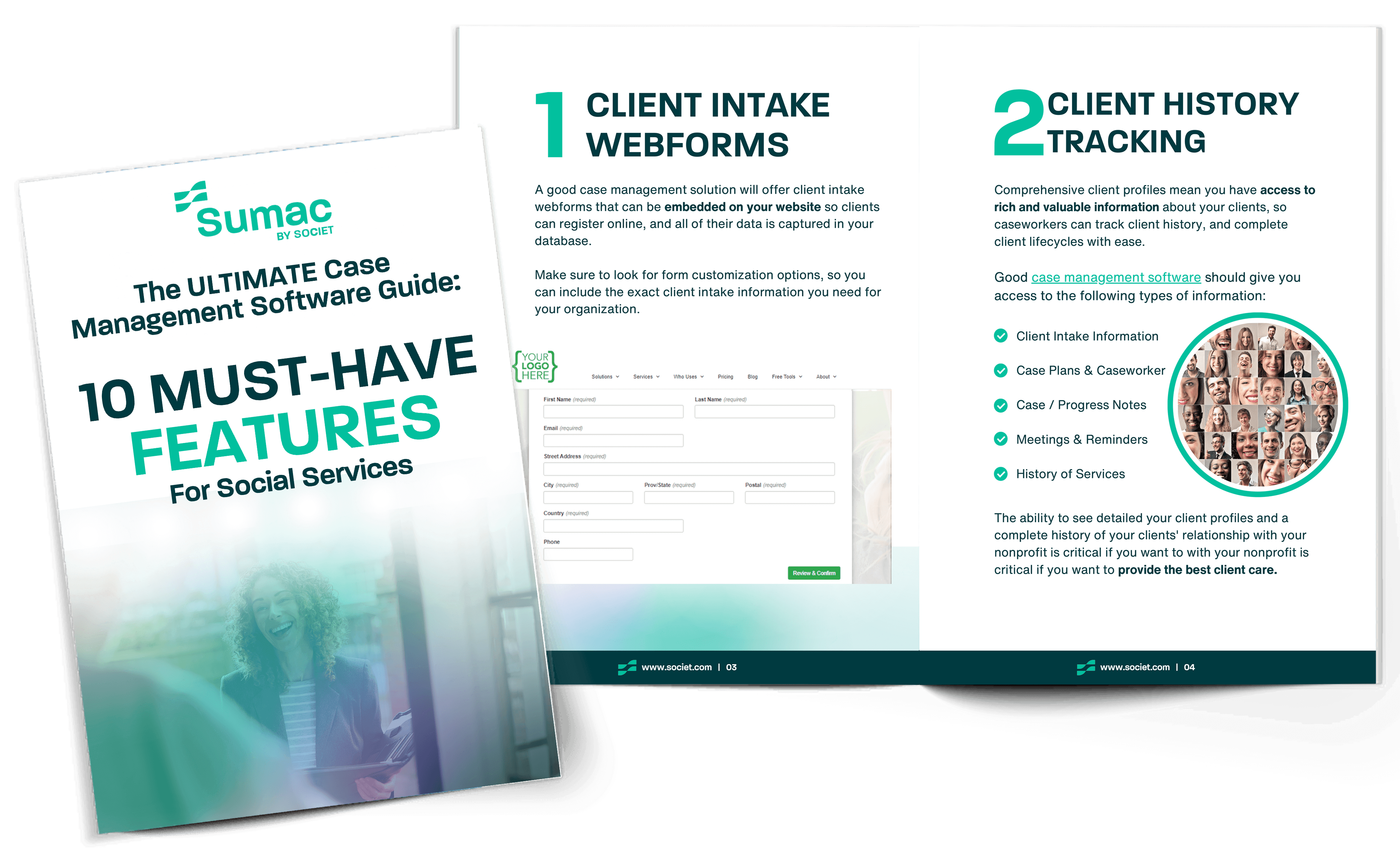
What to Look for in Case Management Software for Nonprofits
Key Takeaways
- Spreadsheets are a starting point—not a long-term system
- Data chaos and reporting challenges are early warning signs
- Case management software improves workflows and service delivery
- Choosing the right solution requires balancing flexibility, security, and reporting
Next Steps
If you’re exploring options, a good next step is to review your current processes and identify where spreadsheets are creating limitations.
You can also explore how Sumac nonprofit case management software solution can support your organization as it grows.
Frequently Asked Questions
Case management software for nonprofits is a system that helps organizations track client information, services, and outcomes in a structured and secure way. It centralizes data, supports workflows like intake and follow-ups, and makes it easier to generate reports for funders and stakeholders.
Nonprofits should consider moving beyond spreadsheets when they begin experiencing data inconsistencies, reporting challenges, workflow breakdowns, or security concerns. If staff are spending more time managing data than supporting clients, it’s a strong sign that a more structured system is needed.
When choosing case management software, nonprofits should evaluate key factors such as data security (including PIPEDA or HIPAA considerations), reporting capabilities, client intake and workflow tools, customization options, and integration with other systems like fundraising or volunteer management.
Key features to look for include centralized client records, customizable intake forms, case notes and service tracking, workflow management tools, reporting and analytics, and role-based permissions to protect sensitive data.
Yes, many case management systems can integrate with tools for donations, memberships, volunteers, and grants. Some platforms offer all-in-one solutions, which can reduce data silos and provide a more complete view of your organization’s impact.
Purpose-built nonprofit case management software is designed with data security in mind, including features like encryption, role-based access controls, and compliance with privacy standards such as PIPEDA (Canada) or HIPAA (United States).