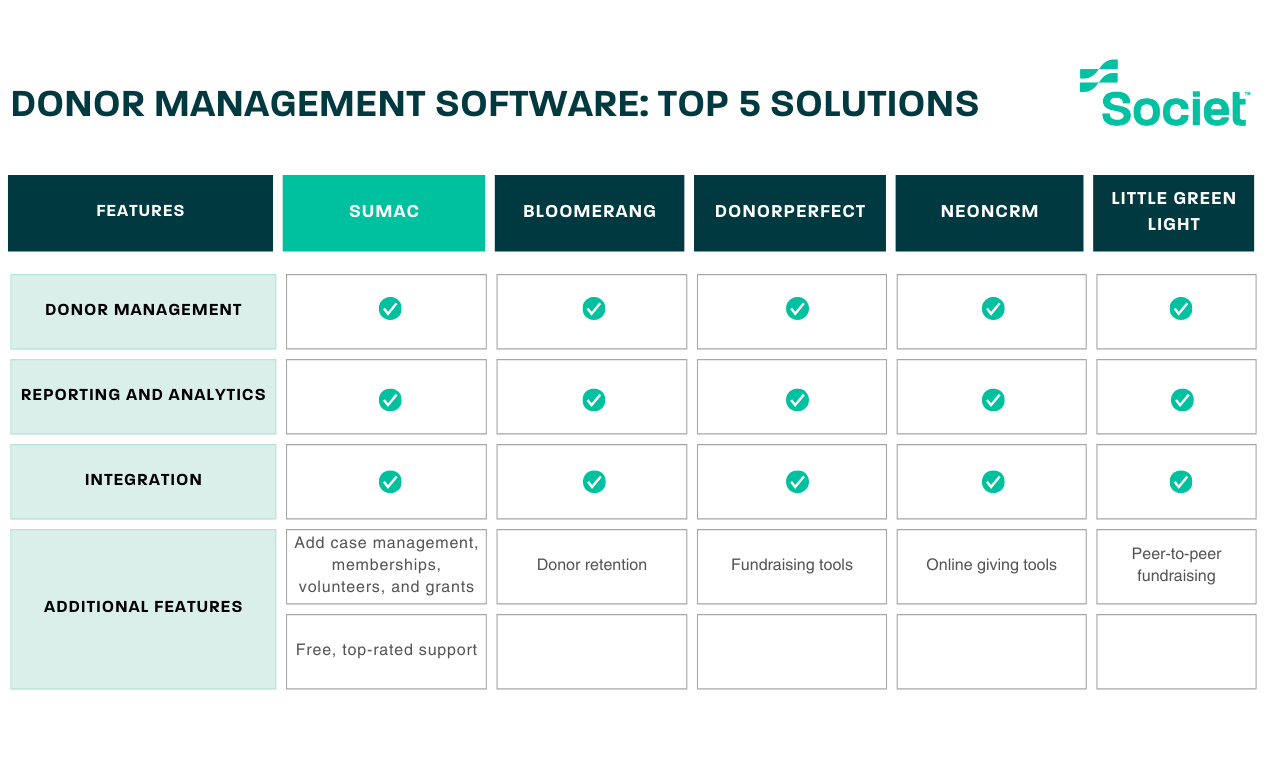
A donor database helps your team keep giving history, contact details and fundraising activity connected. The right choice depends on the work you need to do: managing donor relationships, coordinating client services, collecting online donations, or a combination of these.
This comparison covers five options for managing donor information, including Sumac with its Donations extension. We explain what to evaluate, where each option may fit, and which costs and additional services to check before buying.
Societ publishes this article and provides Sumac and Glass Register. The numbered list is a starting point for evaluation, not an independent performance ranking or a hands-on test.
Why Do Nonprofits Need Donor Databases?
A donor database organizes information about your supporters and their gifts. Depending on the product and plan, it can help your team:
- Track Donor Information: Store and manage donor contact details, giving history, and preferences.
- Segment Donors: Categorize donors based on various criteria for targeted communication and campaigns.
- Manage Communications: Prepare acknowledgments, newsletters and appeals, using the templates, automations or connected email tools available in your plan.
- Generate Reports: Analyze fundraising performance, donor engagement, and other key metrics.
- Enhance Donor Relationships: Build stronger connections through personalized interactions and stewardship.
Compare the following options against the same requirements. A donor-focused CRM manages supporter relationships; case management software supports client services, while a donation form handles online giving. Your organization may need more than one of these capabilities.
1. Sumac Donations Extension
Sumac Case Management Software for Nonprofits supports client and program records. Its optional Donations extension adds donor and gift tracking within that system. This combination is worth evaluating when your nonprofit needs both case management and donor administration.
Key Features:
- Donor Management: Easily track donor information, giving history, and communication preferences.
- Segmentation: Create targeted donor segments for personalized communication and campaigns.
- Communications and Receipts: Send automatic donation e-receipts and use built-in mass email for fundraising letters and newsletters.
- Reporting and Analytics: Generate detailed reports on fundraising performance, donor engagement, and more.
- Donation Webforms: Collect donations through forms connected to Sumac. Confirm the setup, payment-processing arrangements and any other integrations you need.
When to consider Sumac
Consider this setup when your program team needs case management and your fundraising team needs donor records and gift administration. Ask for a demonstration of both workflows and the permissions that separate each team’s information.
Cost and setup considerations
Request a quote for the base subscription, Donations extension, records, users, implementation and payment processing. Do not assume the extension is included in the base price or that the same package fits every nonprofit.
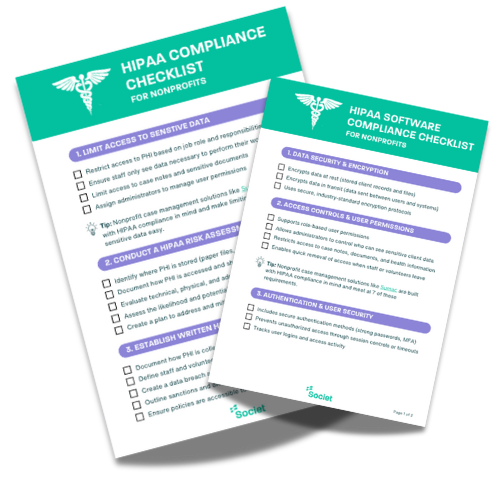
Review the information you intend to store and the agreements your organization requires. Security features do not make Sumac HIPAA compliant; Societ does not sign Business Associate Agreements.
2. Bloomerang

Bloomerang CRM brings donor records, engagement information, communications and reporting together. Bloomerang also sells fundraising and volunteer products, so distinguish the CRM subscription from its wider platform.
Key Features:
- Donor Records: Organize giving history, relationships and supporter interactions.
- Outreach: Segment supporters and prepare personalized communications.
- Reporting: Review fundraising results and donor engagement.
- Data Management: Use duplicate-management and permission tools to maintain your database.
Fit and cost considerations
Consider Bloomerang when donor stewardship is a priority. Have staff test how they would identify lapsed donors, prepare an appeal and record the follow-up.
Review Bloomerang’s current pricing, billing term and contact allowance. Confirm which fundraising, volunteer and integration features are included in the proposed package.
3. DonorPerfect

DonorPerfect combines donor records, gift tracking, online giving and fundraising reports. Its packages differ, so compare the edition and services your team would actually use.
Key Features:
- Donor and Gift Records: Keep supporter details, giving history and fundraising activity together.
- Acknowledgments: Manage donation receipts and donor communications.
- Reporting: Use fundraising reports and dashboards to review results.
- Connected Tools: Evaluate online forms, email integrations and optional fundraising services for your plan.
Fit and cost considerations
Consider DonorPerfect when gift administration, acknowledgments and fundraising reporting are central to your work. Ask for a demonstration of a donation from entry through receipt and reconciliation.
Check current DonorPerfect plans, country-specific pricing, implementation and processing costs. Confirm event and peer-to-peer requirements rather than assume every tool is included.
4. NeonCRM

Neon CRM connects donor management, fundraising, communications and workflow automation. Its modular approach lets organizations evaluate additional functions alongside the core CRM.
Key Features:
- Donor Profiles: Organize contacts, giving history and relationship information.
- Fundraising: Use donation forms and recurring-giving tools.
- Communications and Workflows: Coordinate donor outreach and automate supported tasks.
- Reporting: Review fundraising activity and donor information through reports and dashboards.
Fit and cost considerations
Consider Neon CRM when your fundraising team wants donor management and may also need event, volunteer or membership functions. Test the exact modules required for your programs.
Neon CRM pricing is based on organizational revenue, not simply contact count. Confirm optional modules, onboarding, migration and payment-processing costs before comparing quotes.
5. Little Green Light
Little Green Light is a donor-management platform for organizing constituent records, gifts, acknowledgments and fundraising activity.
Key Features:
- Constituent Records: Maintain contact details, relationships and giving history.
- Gift Management: Track gifts and pledges and prepare acknowledgments.
- Fundraising Reports: Filter information and create reports for your team.
- Forms and Data Tools: Collect information through forms and use import, export and supported integrations.
Fit and cost considerations
Consider Little Green Light when a donor-focused database is your main requirement. Test your event, campaign and communication workflows, particularly where another service would be needed.
Little Green Light pricing varies by constituent count and includes unlimited users. Online payment processing has separate costs; confirm the processor and any external tools you will use.
Need online donation forms alongside your database?
A donor database and an online donation form solve different problems. Keep the database for supporter history and fundraising activity; evaluate a separate form when the immediate need is accepting gifts online.
Glass Register provides free donation forms for nonprofits in the United States and Canada. Eligible registered nonprofits can use branded, embedded or shareable forms for one-time and monthly giving, with automatic receipts.
Glass Register states that platform and card-processing fees are covered. Donors may choose an optional contribution to support the service, including zero. Check current eligibility and terms before signing up.
Donor and donation data can be exported for use in another database. Confirm the import process and field mapping; an export is not a promise of automatic synchronization with every CRM.
How to Choose the Right Donor Database for Your Nonprofit
Start with your fundraising process and test each shortlist against the same requirements. Include the people who enter gifts, contact supporters and reconcile income, not only the person buying the software.
- Ease of Use: Ask staff to find a donor, record a gift and prepare an acknowledgment during a demonstration. Check how they correct errors and find previous interactions.
- Customization: List the fields, donor groups, campaign codes and reports your organization needs. Ask which changes your team can make and which need paid assistance.
- Integration: Identify the forms, email and accounting tools you use. Confirm the direction, frequency and cost of data transfers, including how duplicate records are handled.
- Scalability: Compare limits on records, users, storage and additional modules. Ask what changes as your donor base or fundraising activities grow.
- Support: Confirm onboarding, migration, training and ongoing support in writing. Assign an internal owner for data quality and configuration.
- Total Cost: Include the subscription, required extensions, processing, setup, integrations and renewal terms. Ask for the currency and billing period so quotes are comparable.
Before moving data, test an import with fictional or approved sample records. Check gift totals, relationships, communication preferences, permissions and exports. Confirm how recurring donations and payment authorizations will continue with the relevant providers.
A useful demo scenario is a returning donor who gives to a new appeal, changes an email preference and needs a receipt. Follow that information from the donation form into the record and report. The test should reveal the workflow, not expose real donor information unnecessarily.
Choose a donor database around your nonprofit's work
The right donor database should help your team maintain reliable records, acknowledge gifts and plan donor outreach. Compare the complete workflow and cost, rather than choosing only by a feature list or starting price.
For nonprofits that also coordinate client services, case management software for nonprofits from Sumac with the Donations extension is one option to evaluate. Discuss your program, fundraising and information-access needs in a demonstration.
For online giving without replacing your donor database, explore Glass Register donation forms. Choose the combination that fits the work your team actually needs to do.