Choosing software starts with deciding what your team needs to manage. Donor relationships, client services and online donations are connected, but they are not the same workflow.
This article compares nine platforms for donor and constituent management, explains when case management software for nonprofits is a better fit, and shows where a dedicated donation form can help. The aim is to build a shortlist around your work rather than buy the longest feature list.
Societ publishes this article and provides Sumac and Glass Register. We introduce them separately for their relevant uses. The numbered CRM list is not a performance ranking or the result of hands-on testing.
What is nonprofit CRM software?
A nonprofit CRM organizes information about an organization’s constituents, such as donors, members, supporters and volunteers. Depending on the product and plan, it may connect contact details, giving history, communications, campaigns and reports.
A donor-focused CRM helps fundraising staff manage relationships. Case management software supports a different operational need: coordinating client intake, case notes, services, follow-ups and outcomes. Some platforms offer both, but a contact database does not necessarily support every workflow.
Before comparing products, identify the information your team needs to collect, who may access it and what it needs to report. Use that list to distinguish essential functionality from optional features.
Do you need a CRM, case management software or donation forms?
Start with the work you need to complete:
- Donor and constituent management: Track giving history, relationships, appeals, acknowledgments and supporter engagement. A donor-focused CRM belongs on your shortlist.
- Client services and program delivery: Manage intake, service plans, case notes, follow-up tasks and outcomes. Evaluate case management software for nonprofits against your actual program requirements.
- Online giving: Let supporters make a donation on your website or through a shared link. A donation form may address this need without replacing your CRM.
Your organization may need more than one of these tools. Confirm each system’s role and how information will move between them; a shared brand or an integration label does not guarantee compatibility.
Sumac Nonprofit Case Management Software
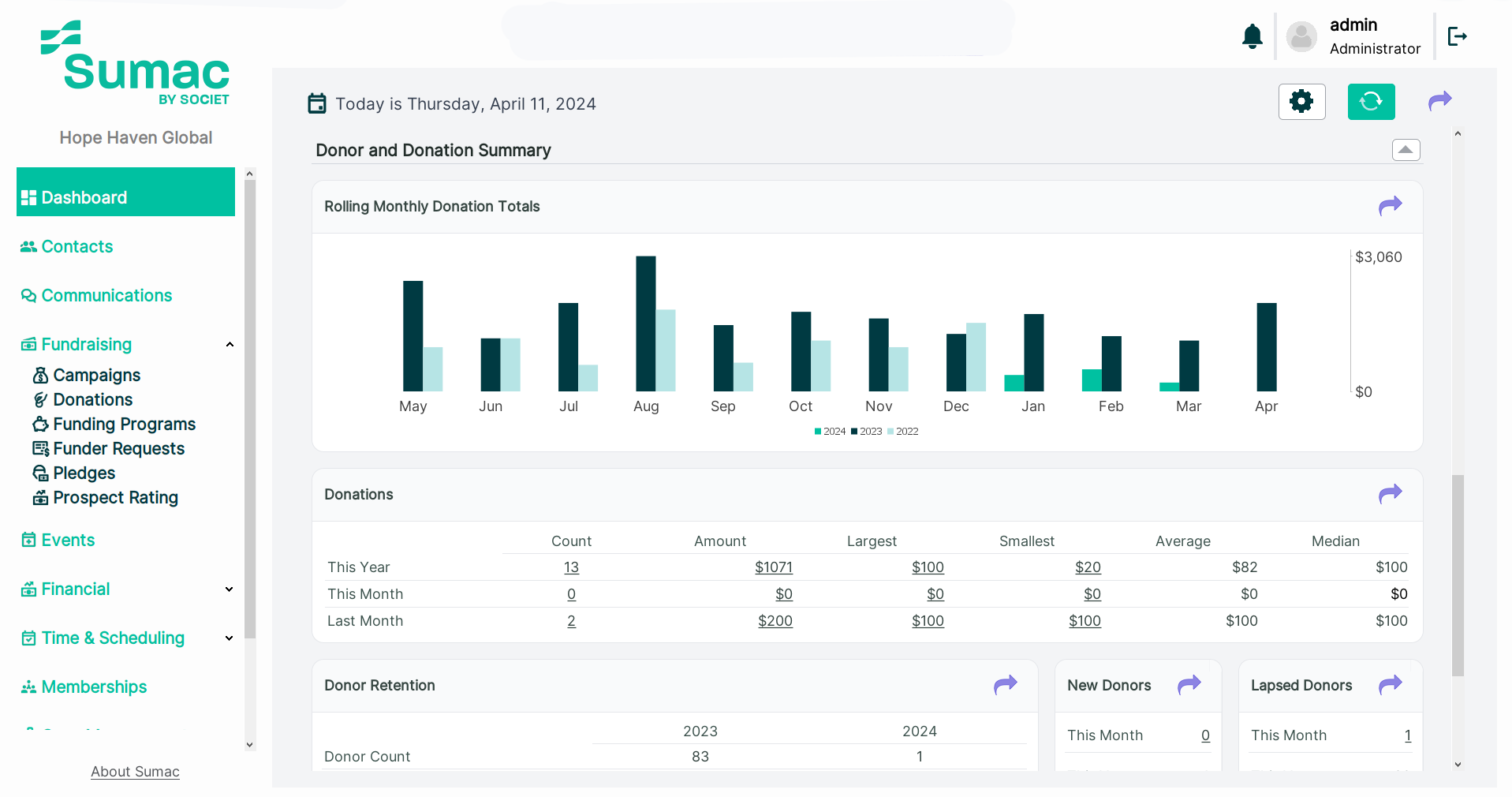
Sumac Case Management Software for Nonprofits helps teams organize client information, case activity, service delivery and reporting. Its configurable records, workflows, reminders and mobile caseworker access support day-to-day program work.
Use a demonstration to review your intake process, case notes, staff permissions and outcome reports. Confirm the configuration needed for each program, rather than assume that every template or workflow is included.
Sumac offers optional extensions for donations, memberships, volunteers and grant management. Client intake webforms and e-signature forms are also listed as add-ons on its product page. Ask for a quote covering the records, users, forms, extensions and implementation support you need.
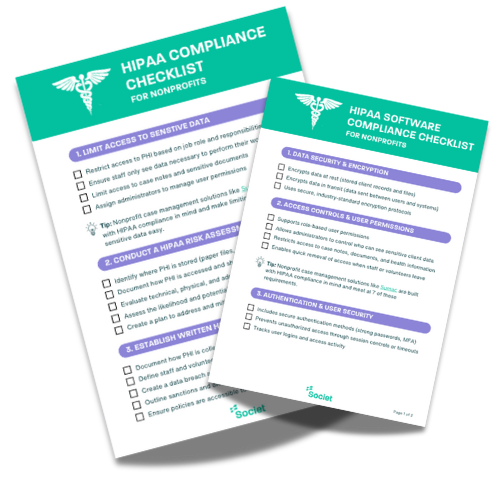
Security features do not make Sumac HIPAA compliant. Societ does not sign Business Associate Agreements; where the intended use requires one, Sumac should not hold that information.
Glass Register for online donation forms
For teams seeking free donation forms for nonprofits, Glass Register is Societ’s online giving product for registered nonprofits in the United States and Canada. It offers branded forms that can be embedded on a website or shared by link, with one-time and monthly giving and automatic receipts.
Glass Register states that nonprofits keep the full donation, with platform and card-processing costs covered. Donors can choose an optional contribution to support the service, including zero. Review the current eligibility and terms before signing up.
Glass Register addresses online giving, not the full donor-relationship or case-management workflow. Confirm any export or integration requirements separately.
9 nonprofit CRM platforms to evaluate for fundraising
The following options support donor management, fundraising and, in some cases, broader constituent engagement. Compare the exact product and plan, not just the vendor name. Features and prices can change; use the linked official pages to check the current offer.
1. Bloomerang CRM
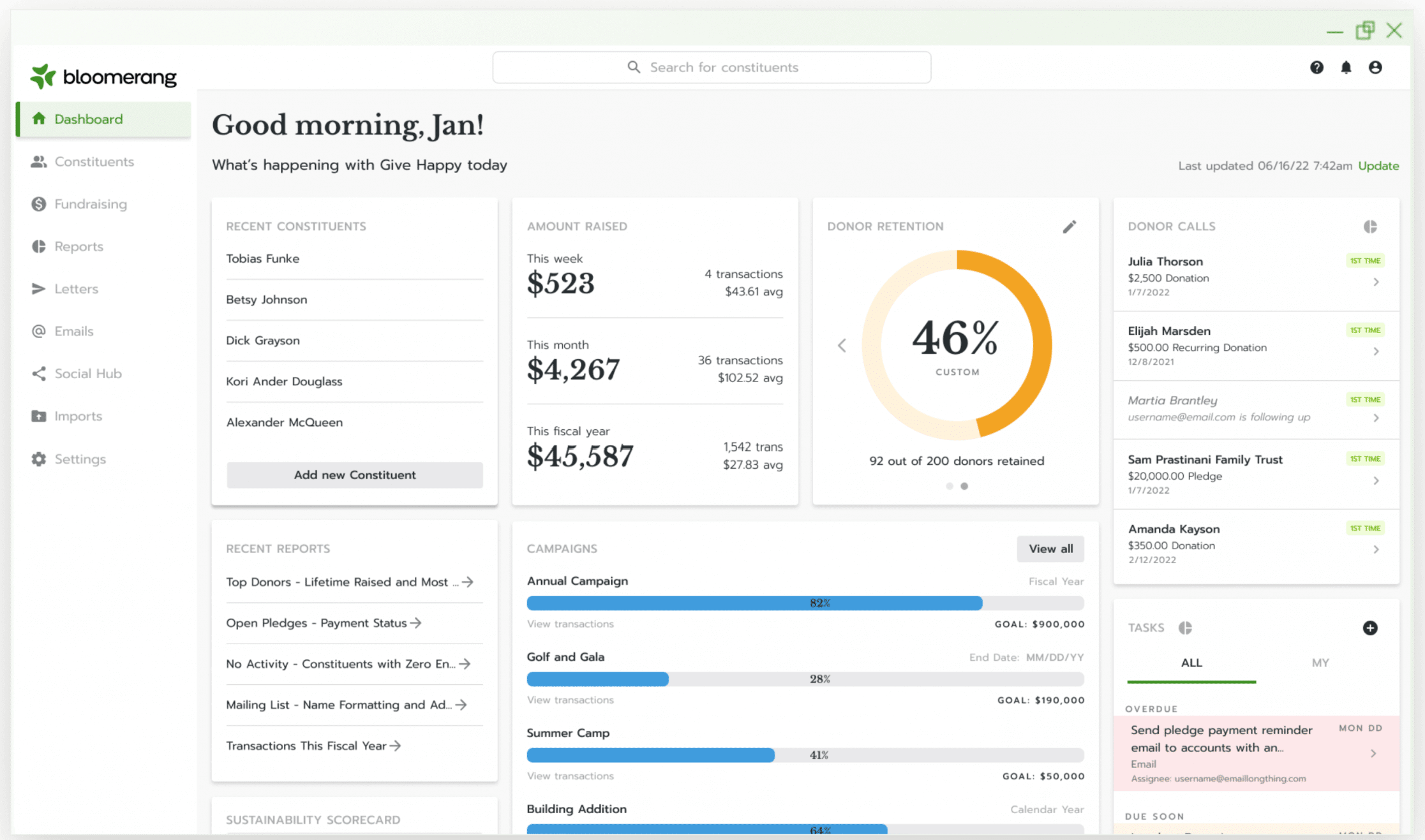
Bloomerang CRM brings donor records, engagement information, communications and reporting together. Bloomerang also offers fundraising and volunteer products, so distinguish the CRM subscription from the broader bundle.
Shortlist it when donor stewardship is central to your requirements. Ask which donation, event and volunteer capabilities are included in your proposed package.
Budget check: Review Bloomerang’s current pricing, billing term, contact allowance and additional products.
2. Salesforce Nonprofit Cloud
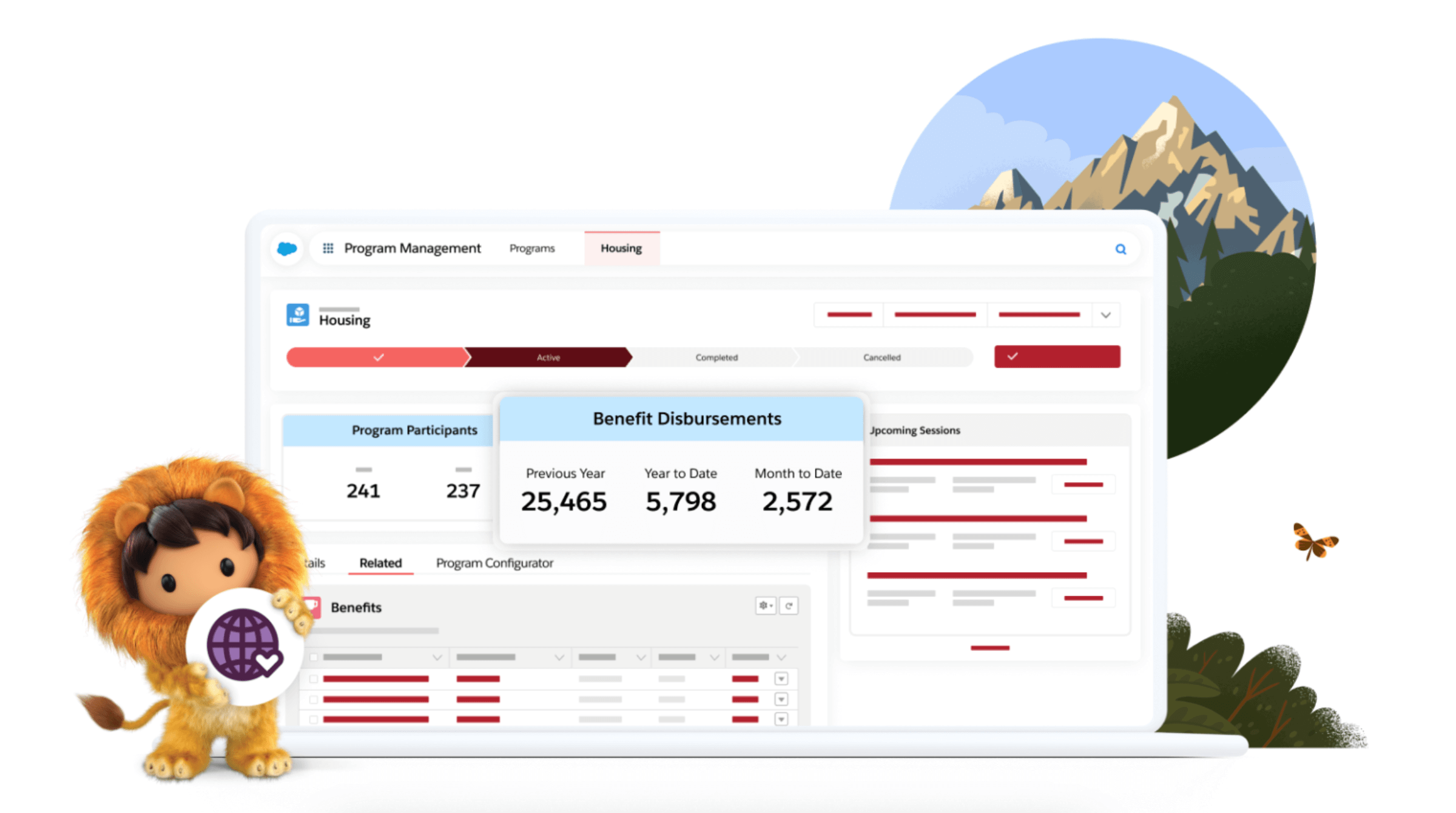
Salesforce Nonprofit Cloud offers tools for fundraising, programs and outcomes within the Salesforce platform. Its current editions and licensing should not be confused with an older Nonprofit Success Pack price list.
Shortlist it when you need configurable processes and can evaluate setup, administration and integrations. Request a demonstration of your workflow in the edition being quoted.
Budget check: Review current pricing and Power of Us eligibility. Donated licences do not mean implementation, training or every add-on is free.
3. Blackbaud Raiser's Edge NXT
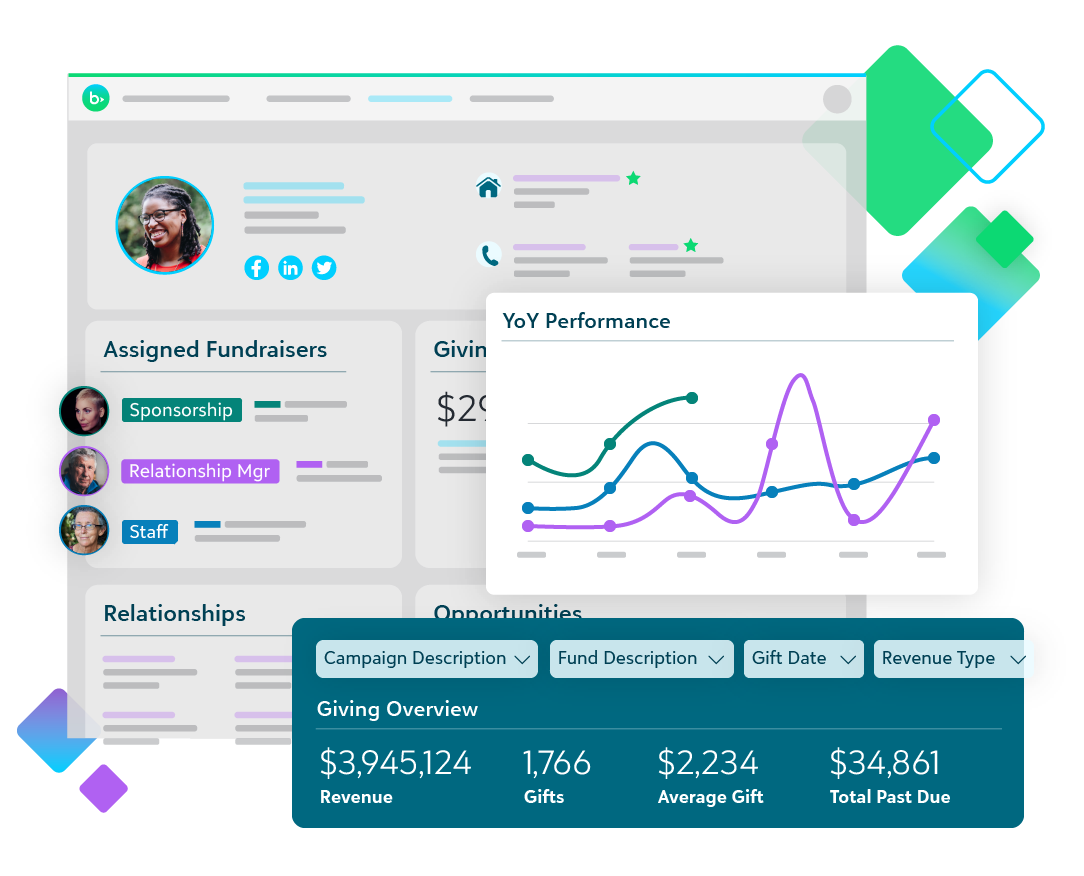
Blackbaud Raiser’s Edge NXT is donor management and fundraising software with relationship, gift and campaign management and reporting capabilities.
Shortlist it when your development team needs to coordinate fundraising activity and donor relationships. Ask for demonstrations using your major-gift, annual-giving and reporting requirements, and confirm which modules and services are included.
Budget check: Request a personalized quote from Blackbaud rather than rely on an unattributed starting price.
4. DonorPerfect
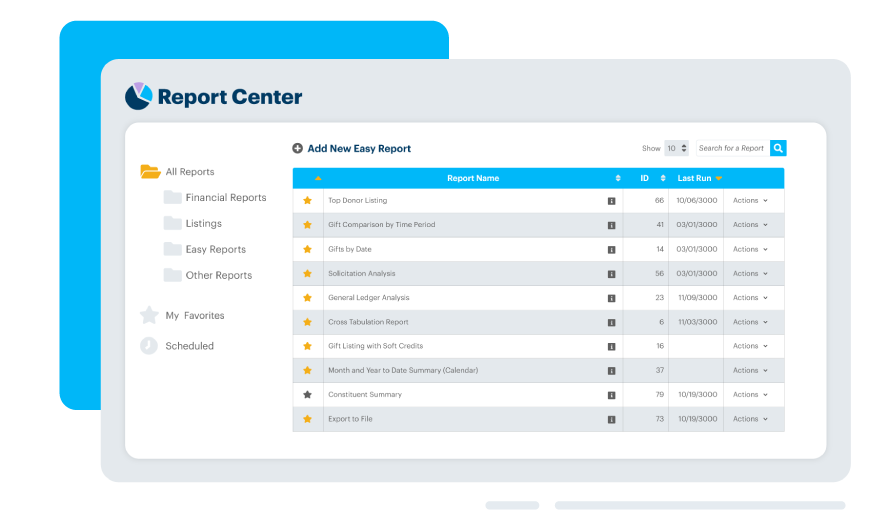
DonorPerfect combines donor records and fundraising tools, including online forms, reporting and communications. Packages differ, so evaluate the plan you would purchase.
Shortlist it when you need to connect donor information with giving, acknowledgments and fundraising activity. Ask how recurring gifts, events, accounting exports and email tools would work for your organization.
Budget check: Review DonorPerfect’s current plans and confirm processing charges, integrations and optional services.
5. Neon CRM
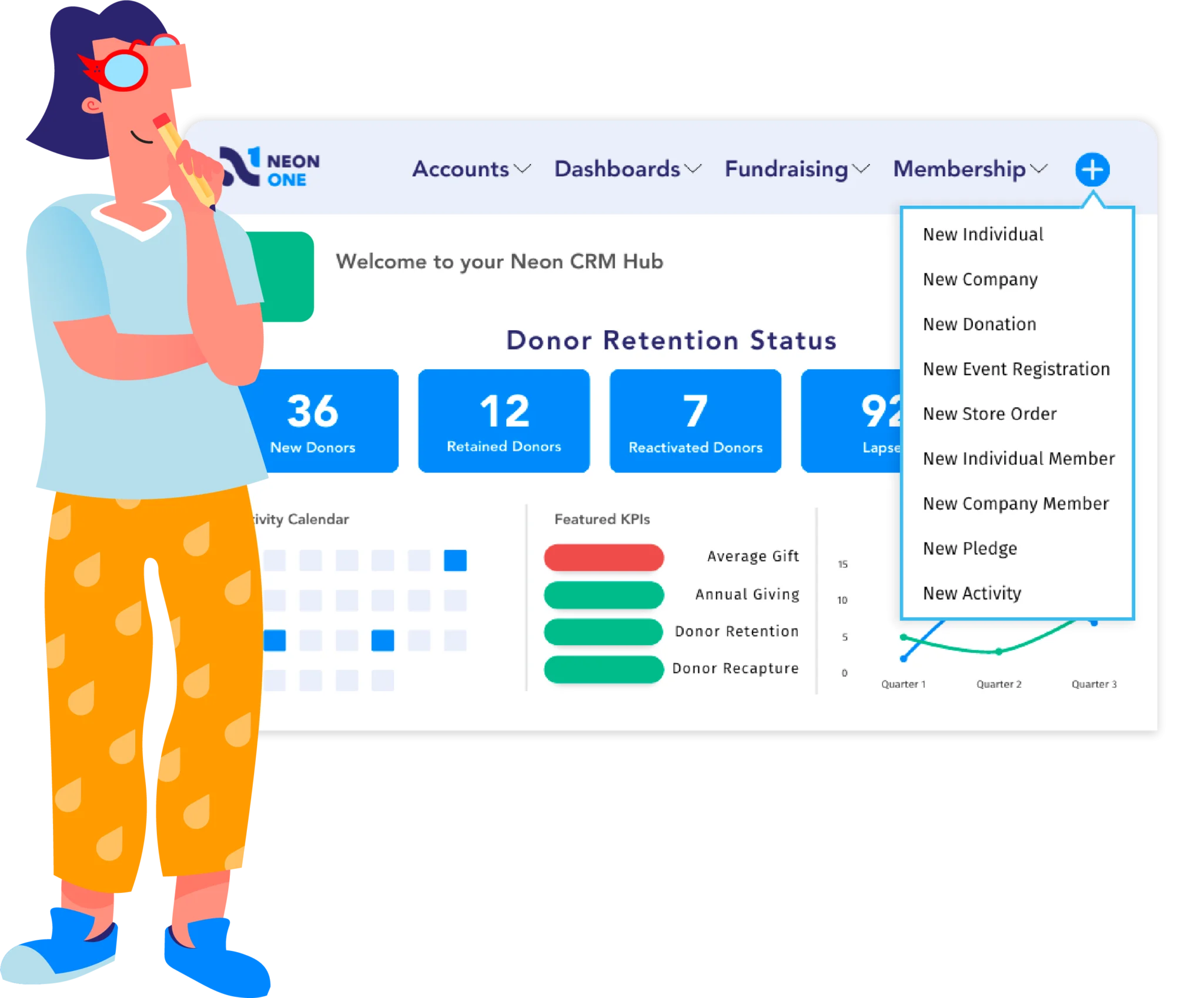
Neon CRM is Neon One’s donor management platform, with donor records, communications, workflows and fundraising reporting. Event, volunteer and membership functionality is offered through optional modules.
Shortlist it when you want donor management with those additional functions. Check which modules you need before comparing its price with another vendor’s bundle.
Budget check: Neon CRM pricing is based on organizational revenue. Request the rate and onboarding costs for your organization.
6. Little Green Light
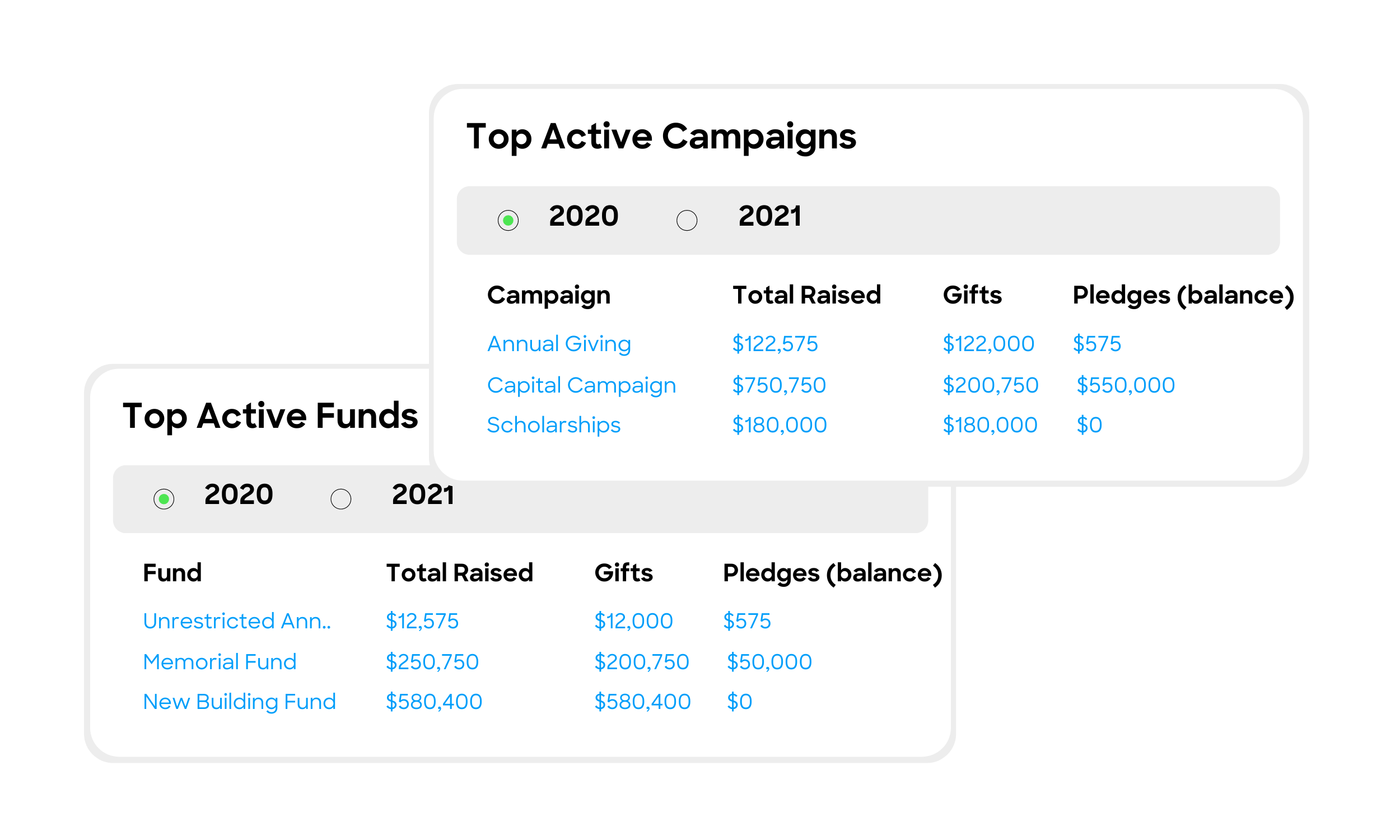
Little Green Light focuses on donor management, including constituent records, gift tracking, acknowledgments, reporting and fundraising workflows.
Shortlist it when a donor-focused database is your main requirement. Demonstrate the forms, communications and reporting you need, and confirm any external tools required to support them.
Budget check: Little Green Light’s pricing varies by constituent count and includes unlimited users. Payment processing has separate charges; compare the full cost of your giving setup.
7. CharityEngine
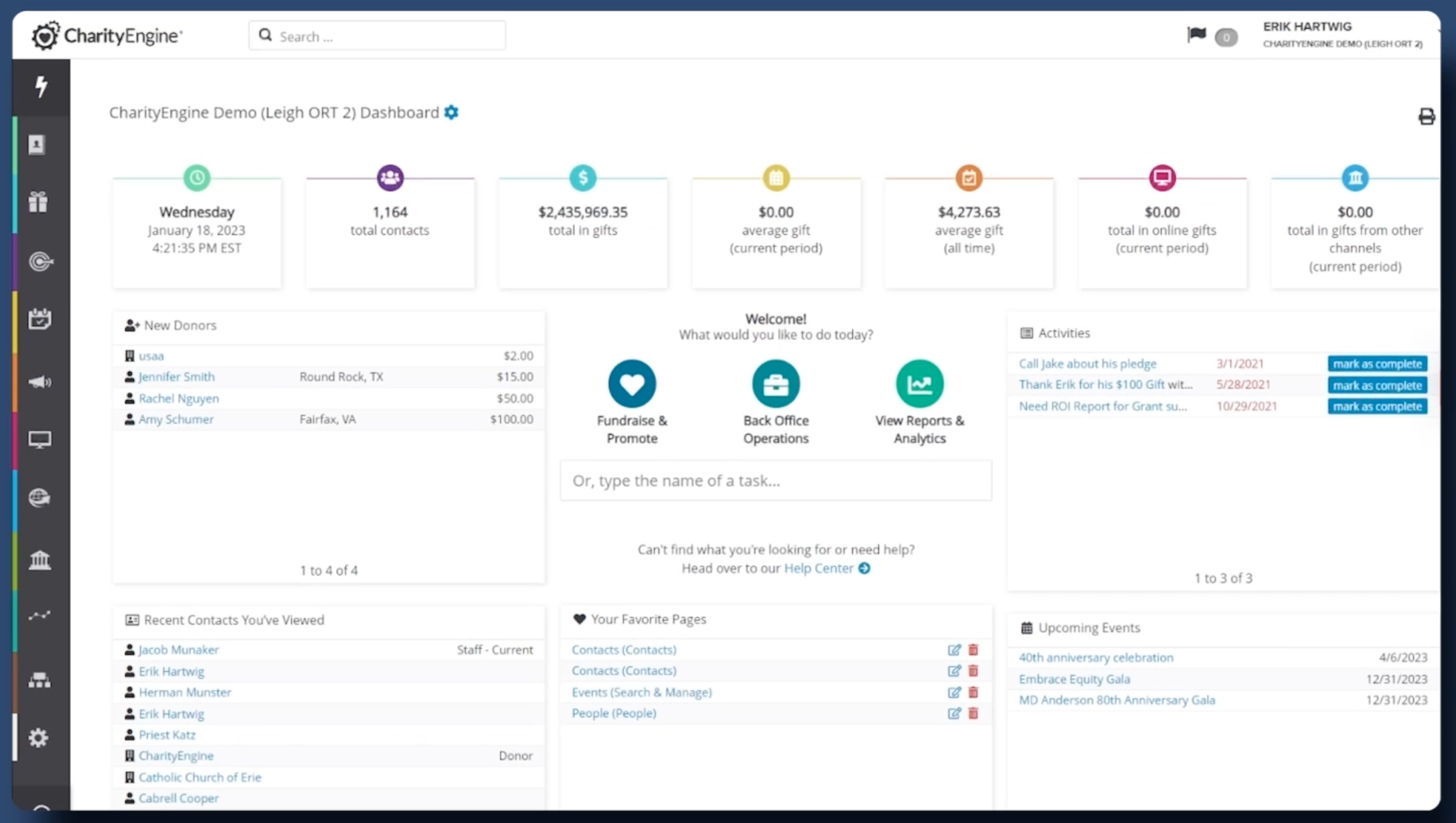
CharityEngine brings donor management, fundraising, communications and automation together. Its platform includes donation-form and campaign capabilities alongside CRM functions.
Shortlist it when you want to coordinate fundraising across several channels. Request a written scope covering migration, integrations, reporting, support and the functions included in your package.
Budget check: Request current CharityEngine pricing. Ask how your records, fundraising activity and service requirements affect the quote.
8. NationBuilder
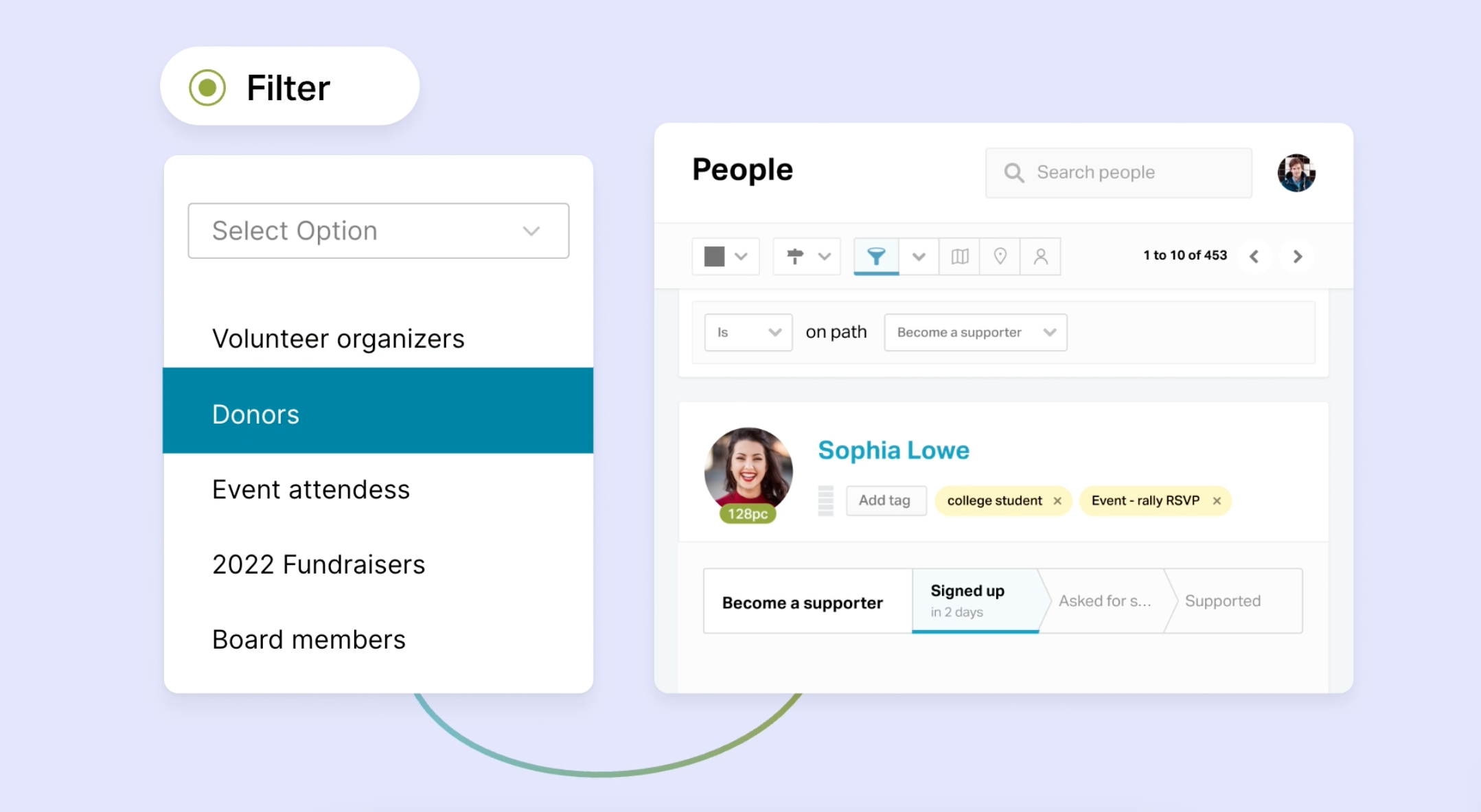
NationBuilder combines a people database, website tools, communications and online fundraising. Its community-organizing focus differs from a database designed mainly for gift processing.
Shortlist it when supporter engagement and organizing matter alongside donations. Test your donor acknowledgment, reporting and payment requirements before deciding whether that broader approach fits your team.
Budget check: Review NationBuilder’s current plans, contact limits, billing term and payment-processing terms.
9. Giveffect
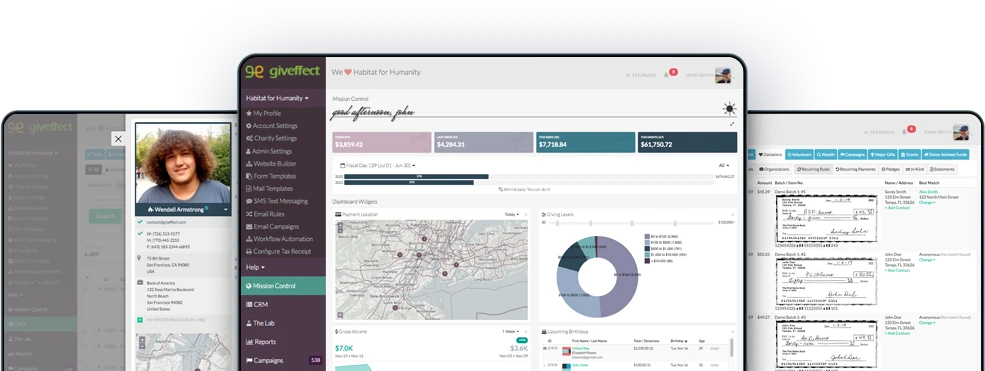
Giveffect combines donor and volunteer management, online fundraising, events, marketing and other nonprofit functions in one platform.
Shortlist it when you want to evaluate several operational functions together. Have the vendor show a complete workflow, from registration or donation through the donor record, acknowledgment and report.
Budget check: Confirm Giveffect’s current pricing, package, implementation scope and support options. Do not assume every support channel or service is included.
What to compare before choosing a platform
An integrated platform can reduce duplicate entry, but it does not automatically replace every tool or lower your total cost. Compare the same requirements for each vendor:
- Records and permissions: Can staff find what they need while access to sensitive information remains appropriately restricted?
- Giving and stewardship: How are gifts, pledges, recurring donations, acknowledgments and communication preferences recorded?
- Forms, events and integrations: Which functions are native, optional modules or third-party connections? What information moves between systems?
- Reporting: Can your team produce its donor, finance and management reports without rebuilding them manually?
- Total cost: Include users, records, forms, processing, integrations, setup, migration, training, support and growth.
- Exit and portability: Confirm export formats, attachment access, cancellation terms and help available if you change systems.
Ask each shortlisted provider to demonstrate the same realistic scenario using fictional data. Compare the result with your requirements rather than relying only on a feature list or a product’s claim to be all-in-one.
How to transition to new nonprofit CRM software
Once you have chosen a system, plan the move before transferring records. A first-time implementation still requires data preparation, staff training and clear ownership; an existing database adds migration and continuity considerations.
Create a detailed implementation roadmap
Once you’ve settled on a new CRM system, you’ll need to start planning. Here are the key stages you’ll need to account for:
- Setup and configuration: Map processes and confirm the customizations, integrations and applications you require.
- Data migration: Budget time to migrate your constituent data from your old system.
- Testing: Schedule trial imports and check records, relationships, permissions and reports before launch.
- Team training: Plan for all relevant team members to spend time getting familiar with the new CRM software. You may also want to schedule training sessions for different teams like marketing, accounting, and donor management.
Map processes to your new system
Next, take a deep dive into understanding your existing processes. Each donor management system will have its own way of doing things, so you’ll need to figure out how to get what you need.
Consider the following:
- What tools and apps do you need to integrate with the new system? Will you be working with any new tools?
- What reports do you need to be generated and how often? How will this be set up? What do you hope to measure in the new system?
- How will recurring gifts, payment authorizations and accounting reconciliation continue through the move? Confirm the process with the software and payment providers before switching systems.
Don’t assume your new system will work exactly like the old one. Every solution is unique and may have limitations or use different processes to achieve results. Depending on the type of nonprofit CRM software and its marketing tools, you’ll need to put in place processes for fundraising, accounting, email marketing, and others.
Organize your information
One of the most daunting tasks while transitioning is getting the data organized and accurately migrated onto your new system. If you have large and varied data sets with thousands of contacts and information fields, you may want to work with a data migration expert.
If you are handling the process internally, make sure you categorize and quantify your records, consolidate data sources, and streamline data before migrating.
Create a field-mapping document covering current records, historical gifts, relationships, communication preferences and attachments. Check each source, including spreadsheets, accounting software, email tools and payment platforms, so valuable information is not overlooked.
Clean up donor records and fundraising opportunities
Review duplicate records, incomplete fields and outdated assignments. Standardize useful information and check communication preferences. Do not delete donor history simply because a gift is old; assess retention requirements and fundraising needs before deciding what to migrate, archive or remove.
For each data type, ask:
- What operational, reporting or retention purpose does it serve?
- Who should have access to it?
- What should be corrected, merged, archived or removed, and who will approve that decision?
Before changing source data, create a protected backup and test how to restore it. Restrict access to migration files and agree how long temporary exports and backups will be retained. Avoid leaving uncontrolled copies in email, personal storage or shared folders.
Export, import and test
Run a sample migration before moving the full database. Reconcile record counts and gift totals, then check contact relationships, recurring-gift arrangements, preferences, attachments and permissions. Test the reports and communications staff will use after launch.
Document discrepancies, assign corrections and obtain sign-off from the responsible teams before switching over.
Train users
Getting team members’ buy-in is critical for the success of any new system. Ideally, you’d have gotten buy-in during the selection phase, but you also need buy-in during onboarding.
Confirm the vendor’s training offer and prepare role-specific sessions for fundraising, finance, program and administrative staff. Appoint internal owners for data quality and configuration, provide practical instructions and schedule time for questions after launch.
Use a test environment and fictional or appropriately approved sample data for practice. A trial should help staff evaluate real tasks without unnecessarily exposing donor or client information.
Prioritize transparent communication throughout
Make sure you communicate with your team during the transition, as they’ll need to work closely with you at every stage. Here are a few tips to keep lines of communication open and transparent:
- Be clear about your goals: Provide context to why you want to switch to a new CRM system and talk about what you hope to achieve, either improving data management or fundraising efforts.
- Address questions and concerns: Any major change naturally brings up questions. Consider scheduling an open meeting at the start of the implementation process for team members to ask questions or voice concerns.
- Give progress updates: Keep team members in the loop at every stage so they know what to expect next. If they need to adjust workflows to accommodate changes, let them know in advance.
Allow time for adjustment after launch. Keep a clear route for reporting issues and review progress against the requirements that informed your software choice.
Choose software around the work you need to do
Choose a donor CRM for donor relationships, case management software for client services, and donation forms for online giving. Confirm how the tools will work together, what they will cost and what information each is suitable to hold.
For client intake, case notes, service tracking and outcomes, explore Sumac Case Management Software for Nonprofits. For online giving, explore Glass Register.